
Download Tiltamaze – ball-rolling game, 3D puzzle game, tilt maze, mobile game, classic game, precision game, puzzle game, brain teaser
Overview
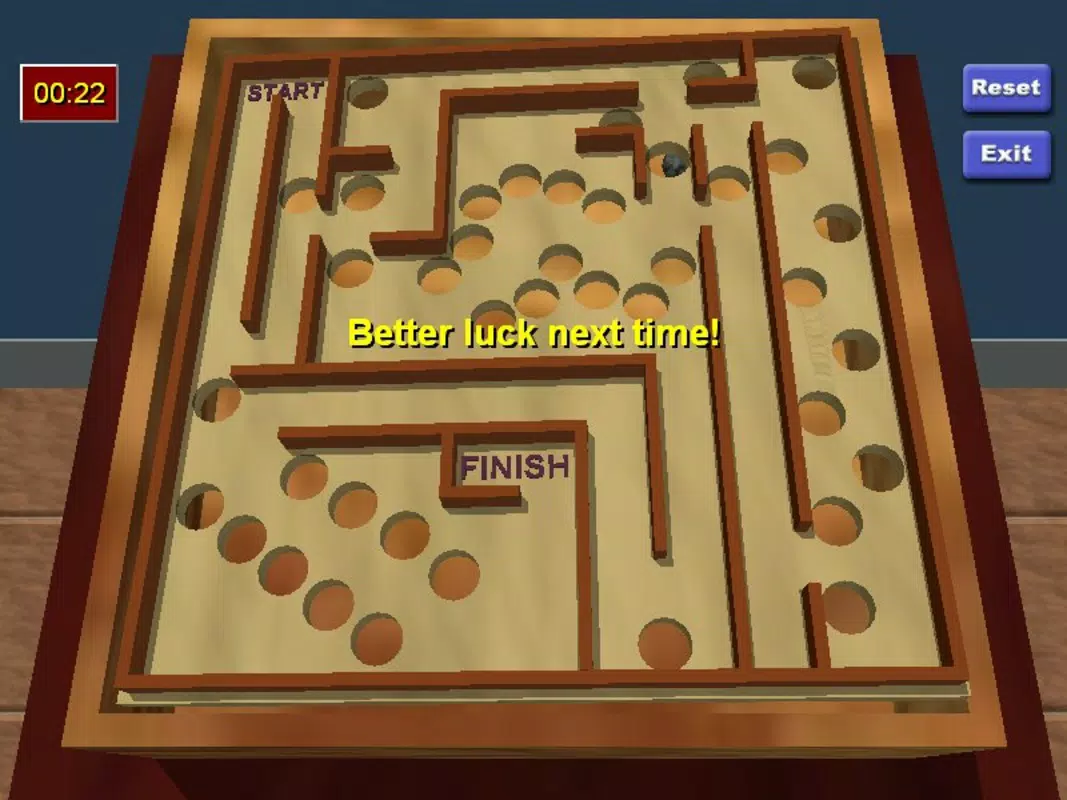
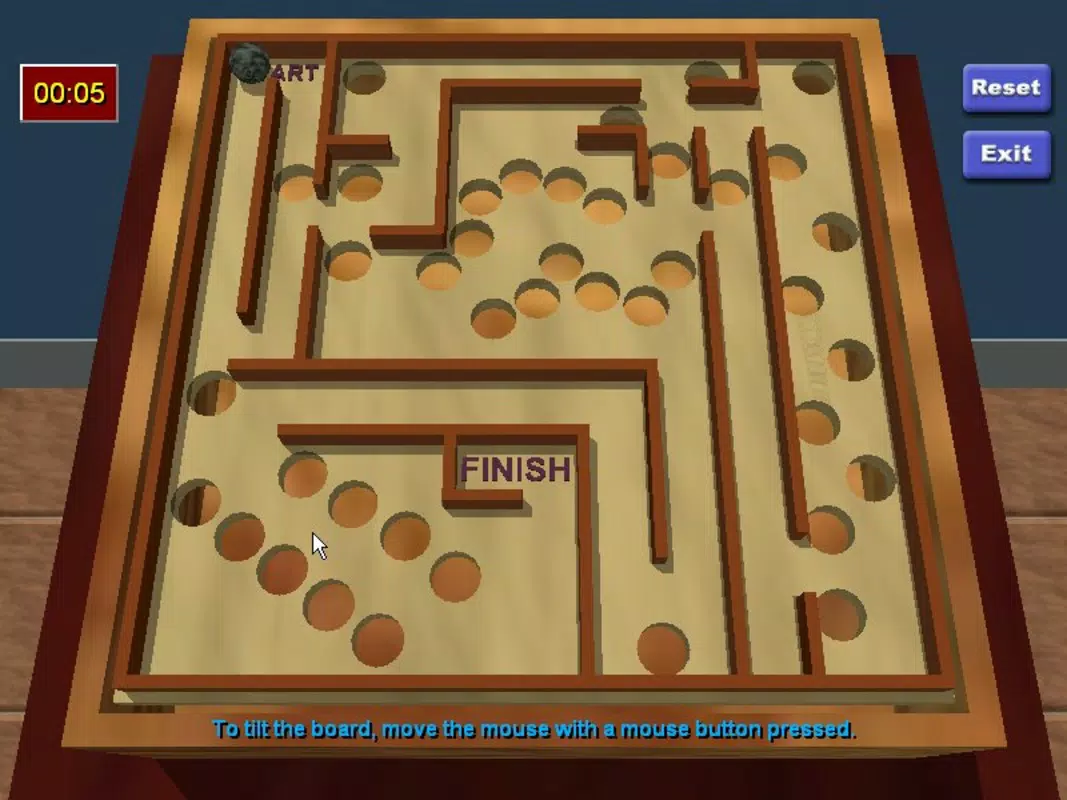
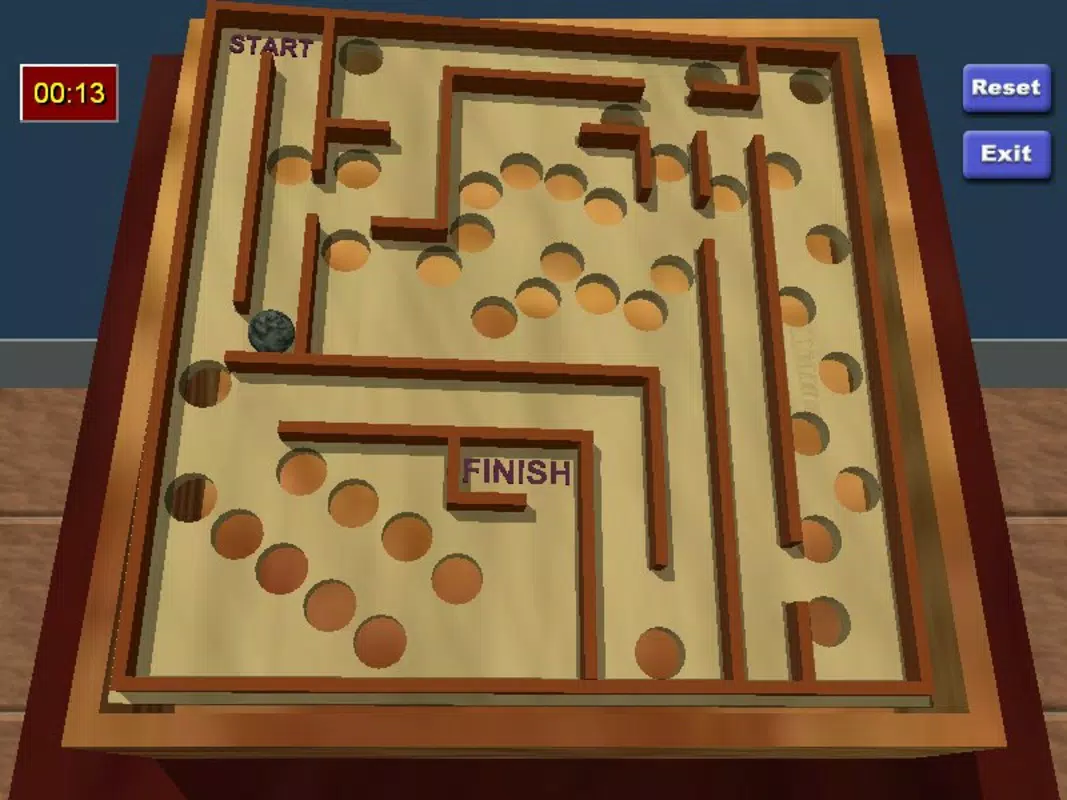
Tiltamaze reimagines the enduring appeal of the classic ball-rolling puzzle game within a modern 3D digital environment. Designed to challenge players' focus, coordination, and spatial awareness, the app delivers a refined test of precision and patience. The core gameplay revolves around guiding a ball through a series of intricately designed mazes by tilting the device, avoiding pitfalls and obstacles that result in instant game over. This simple yet demanding mechanic forms the foundation of a gameplay loop that encourages repeated engagement, appealing to fans of brain teasers and strategic thinking.
Targeted at puzzle enthusiasts and mobile gamers seeking a low-friction but mentally stimulating experience, Tiltamaze serves as a digital homage to a nostalgic gameplay style. Its minimalist design and consistent challenge make it suitable for casual play sessions or longer periods of focused concentration. The app’s purpose is clear: to deliver a pure, uncluttered puzzle experience that emphasizes skill over luck. While the developer, Joe C. Jones, has not provided additional background details, the app’s longevity since its release in 2006 suggests a lasting appeal and stable core functionality.
Real-world use cases include stress relief, cognitive training, and quick mental breaks during daily routines. In the broader app ecosystem, Tiltamaze occupies a niche as a lightweight, high-reward puzzle title that continues to serve as a benchmark for precision-based mobile games. Its enduring presence underscores the timeless nature of well-designed mechanics.
Key Features & Functionality
- 3D Graphics Experience: The app utilizes immersive 3D visuals to enhance spatial perception, helping players anticipate the ball’s movement and navigate complex terrain more effectively. The vibrant rendering contributes to a more engaging and dynamic gameplay atmosphere.
- Challenging Gameplay: Each level presents a unique maze layout with varying obstacles, requiring players to adapt their strategy and improve hand-eye coordination over time. The high difficulty threshold ensures that progress feels earned, reinforcing long-term engagement.
- Classic Game Revival: Tiltamaze modernizes the original physical tilt maze concept, translating it into a digital format with consistent mechanics and scalable difficulty. This fusion of nostalgia and digital innovation appeals to both younger players discovering the genre and older users reminiscing about vintage puzzle games.
- Continuous Challenges: With evolving level designs and unpredictable layouts, the game avoids repetition. Each session introduces new spatial puzzles, ensuring that players remain mentally stimulated and motivated to improve.
- User-Friendly Controls: The game relies on intuitive tilt-based navigation, allowing players to steer the ball with natural, responsive movements. This accessibility lowers the entry barrier while preserving depth, making it suitable for a wide range of users.
For example, a player might use the 3D visuals to predict how the ball will react to a steep incline, then adjust their device tilt with precision to avoid a hidden hole. The combination of visual cues and tactile control creates a seamless feedback loop that enhances immersion and mastery.
Interface, UX & Performance
The interface of Tiltamaze is minimalistic, prioritizing gameplay over decorative elements. The screen focuses on the 3D maze and the ball’s position, with no distracting menus or ads. Navigation is straightforward: players tilt their device to control movement, and the game responds in real time. The visual clarity of the maze structure supports intuitive understanding, allowing users to quickly grasp the layout and plan their route.
Although the developer did not list formal performance metrics, the app’s file size of 10.2 MB suggests a lightweight design optimized for efficiency. This size indicates that the game likely runs smoothly on a wide range of Android devices, including older models. The responsive nature of the controls implies consistent frame rates and low input lag, essential for precision-based gameplay.
Stability appears to be a strength, given the app’s long-standing presence on the platform. The absence of reported issues in the provided data hints at reliable performance across different screen sizes and orientations. However, specific compatibility details such as supported Android versions or hardware requirements were not disclosed.
Platform Compatibility & Technical Requirements
Tiltamaze is available exclusively on the Android platform. The current version is 1.0, with a file size of 10.2 MB, indicating a compact and efficient design. The app is offered at no cost, making it accessible to a broad audience. While the developer did not specify minimum OS requirements or device compatibility, the app’s age and small footprint suggest it may function on older Android versions.
Users should verify compatibility with their device’s operating system before installation. The lack of detailed technical specifications means that potential users must rely on general Android compatibility standards. For instance, the app may run on devices with limited processing power due to its lightweight nature, but this remains unconfirmed.
Pros and Cons
Pros
- Free to download and install, making it accessible to all users.
- Lightweight file size (10.2 MB) ensures quick installation and minimal storage usage.
- Intuitive tilt-based controls that are easy to learn yet challenging to master.
- Engaging 3D visuals that enhance spatial awareness and immersion.
- Replayable gameplay with unique level layouts that prevent monotony.
Cons
- No information was provided about supported Android versions or device requirements.
- Developer did not include update frequency or future development plans.
- Limited feedback on performance across different device categories.
- Only one version (1.0) is listed, suggesting minimal updates over time.
- No in-app purchases or additional content details were disclosed.
FAQ
Is Tiltamaze safe to download?
Yes, the app is available for free on Android and has been in circulation since 2006. Its long-standing presence suggests a stable and secure release, though users should always download from trusted sources.
Can I play Tiltamaze on iOS?
The app is currently only available on Android. No iOS version has been released or announced.
Does Tiltamaze require internet access?
Based on the available information, the app appears to function offline. No internet connection is required for gameplay.
How often is Tiltamaze updated?
The developer did not provide information about update frequency. The current version is 1.0, which has not been updated since its initial release.
Is Tiltamaze suitable for children?
Yes, the game is non-violent and requires no reading or complex instructions. It can be enjoyed by children who have the motor skills to control the device tilt, though parental supervision is recommended for younger users.
Final Thoughts
Tiltamaze stands as a testament to the power of simple, well-executed mechanics. By reviving a classic puzzle concept with modern 3D visuals and responsive controls, it delivers a focused, meditative gaming experience that remains relevant decades after its debut. Its free status, compact size, and intuitive design make it an ideal choice for anyone seeking a brain teaser that fits into a busy schedule.
While the lack of updated features or technical details may limit its appeal to users seeking cutting-edge graphics or frequent content drops, its core gameplay remains compelling. The app is best suited for puzzle lovers, casual gamers, and those who value precision and mental focus. For its niche, Tiltamaze offers exceptional value with zero cost and minimal system demands.
Download Tiltamaze now


